
A Step-by-Step Guide Using Provenance Pulse
🎥
Provenance governance allows token holders to directly participate in shaping the future of the network through on-chain voting. This guide walks you through how to connect your wallet, delegate your $HASH, review proposals, and cast your vote using Provenance Pulse.
✅ Who Can Vote
To vote on governance proposals, you must:
- Hold HASH
- Delegate HASH to a validator (staking required)
- Use a supported wallet
🧰 Supported Wallets
The Provenance Blockchain Explorer supports multiple wallet types:
- Keplr (Chrome Extension) ✅ Recommended
- Leap Wallet (browser extension or mobile)
- Cosmos Station
- Figure Markets Mobile
- MetaMask (via Leap Snap plugin)
- Mobile Wallets: Keplr or Cosmos Station apps
- Arculus Mobile
🔗 How to Vote
Step 1: Access Provenance Pulse
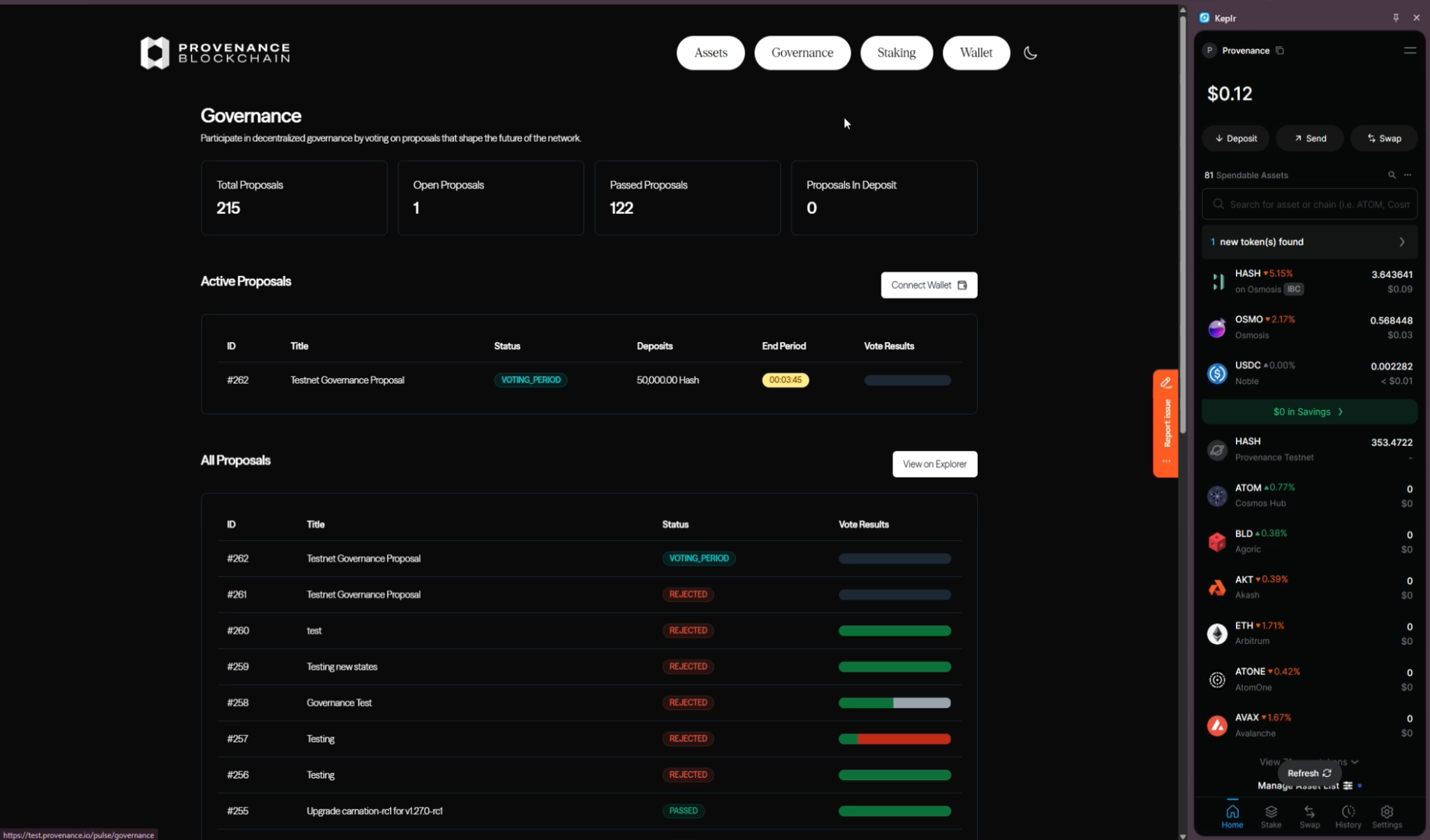
- Navigate to https://provenance.io/pulse/governance
This is where all active and past governance proposals live.
Step 2: Connect Your Wallet
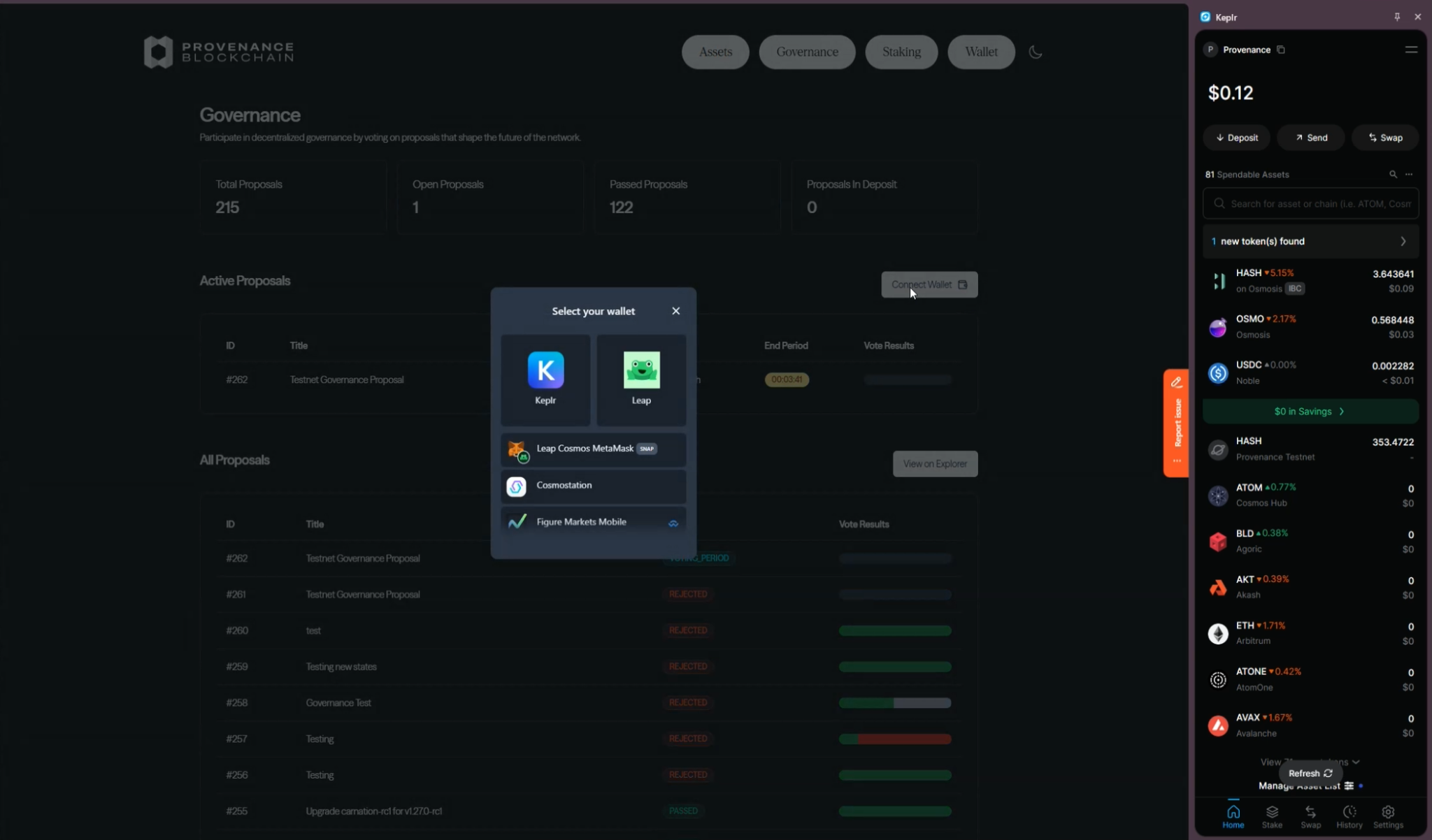
- Click Connect Wallet
- Select the wallet of your choice
- For this guide, we’ll reference Keplr
- Approve the wallet connection when prompted
Once connected, Provenance Pulse will recognize your wallet and display relevant governance actions.
Step 3: Make Sure You Hold $HASH
$HASH is the governance token of the Provenance Blockchain and is required to participate in voting.
If you don’t already have $HASH, you can obtain it through:
- The Figure Markets app (official source)
- The Osmosis DEX at https://osmosis.zone
- Swapping USDC → $HASH directly inside Keplr, if you already hold USDC
You don’t need a large amount, any amount of $HASH gives you governance participation. Be sure to have enough for gas fees too.
Step 4: Delegate Your $HASH (Required Before Voting)
Before voting, your $HASH must be delegated to a validator.
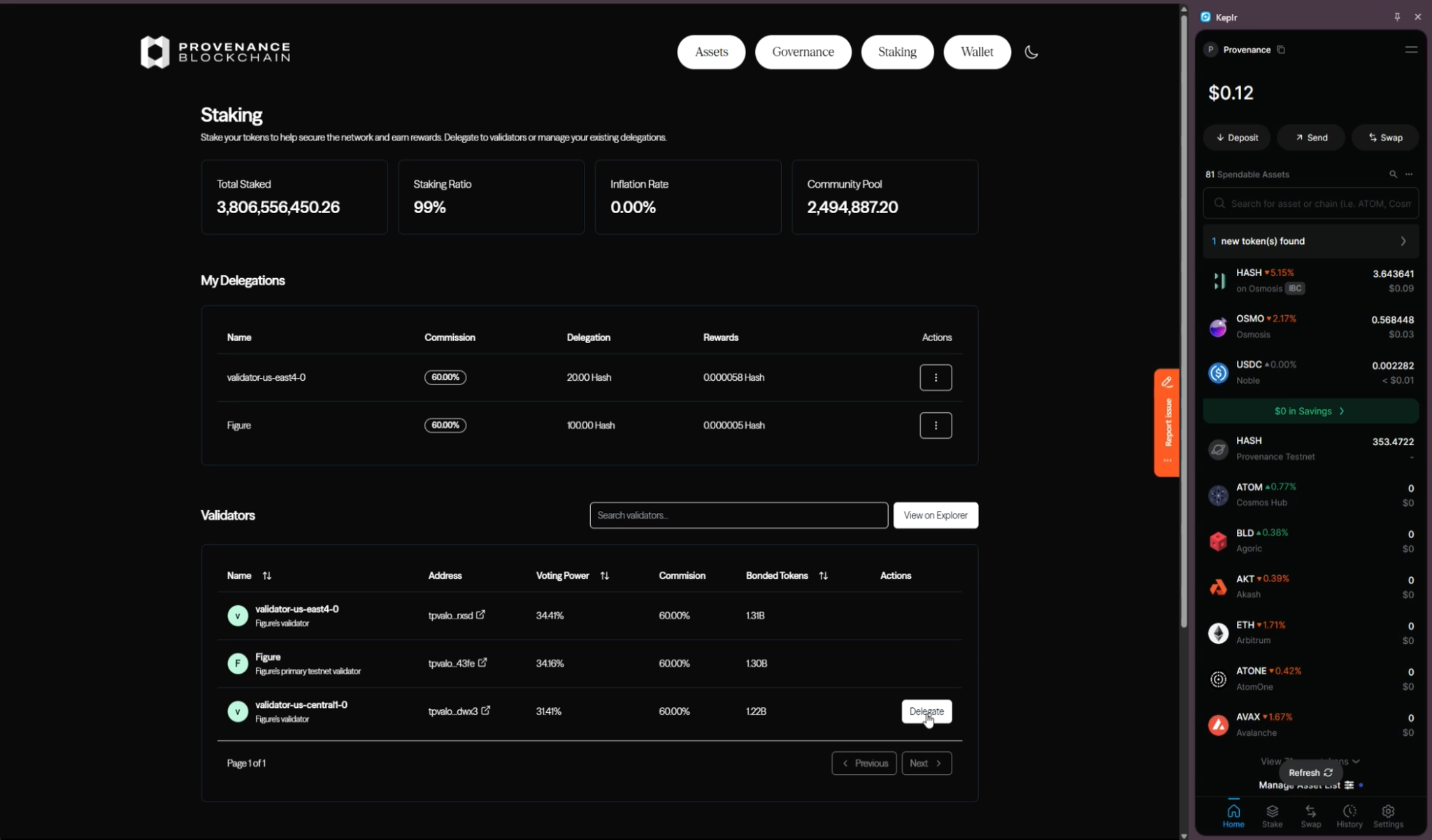
- Navigate to the Staking tab in Provenance Pulse
- Select an active validator you want to delegate to
- You can check validator uptime and performance anytime on https://zonescan.io/provenance/validators
- Enter the amount of $HASH you want to delegate
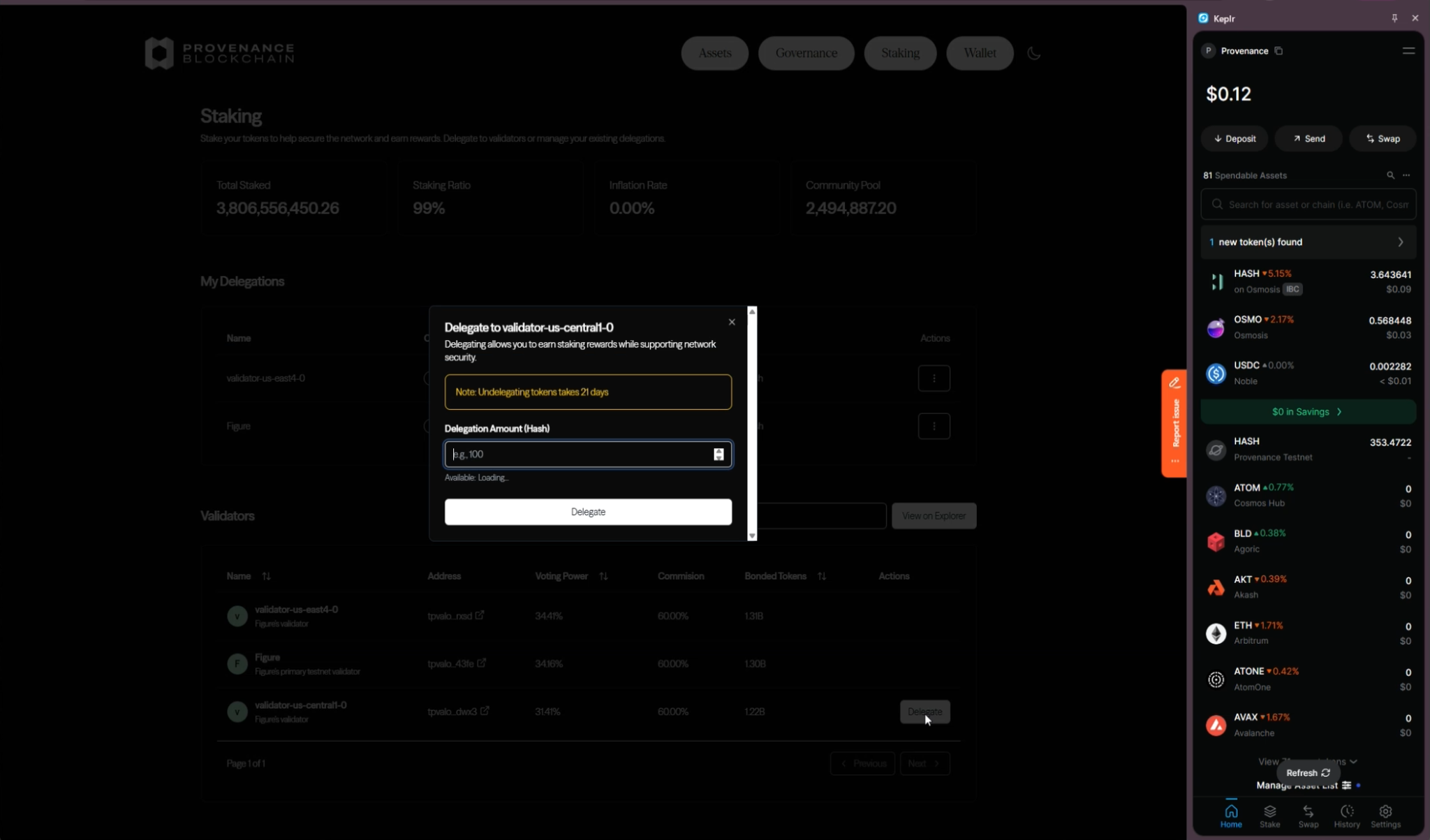
- Approve the delegation transaction in your wallet
Your delegated $HASH now represents your voting power.
When selecting a validator to delegate your HASH to, consider the following:
📊 Performance Metrics
- Uptime and missed blocks
- Consistent block production
- Commission rate (lower % = more rewards for you)
- Current voting power (avoid over concentration)
Step 5: Review Active Governance Proposals
- Return to the Governance tab
- Browse the list of active proposals
- Click on a proposal to view:
- Description
- Voting options
- Current vote distribution
- Voting deadline
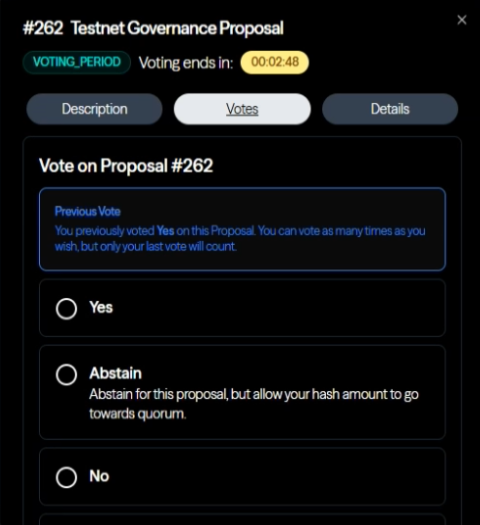
Take time to review the proposal details before voting.
Step 6: Cast Your Vote
- Select your voting option:
- Yes
- No
- Abstain
- No with Veto
- Submit your vote
- Approve the voting transaction in your wallet
Your vote weight is equal to the total amount of $HASH you have delegated across validators.
Your vote won’t count unless your HASH is staked (delegated) beforehand.
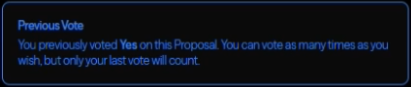
Step 7: Confirm Your Vote
To confirm your vote was recorded:
- Reopen the proposal
- Look for the indicator showing how you voted
This confirms your participation has been successfully recorded on-chain.
🎉 That’s It!
You’ve successfully participated in Provenance governance and helped shape the future of the network.
Governance is an ongoing process - feel free to return to Provenance Pulse anytime to:
- Track proposal outcomes
- Participate in new votes
- Adjust delegations if needed
Welcome to on-chain governance on Provenance 🚀
💬 Questions or Feedback?
Have a question or need help with voting?