
🗳️ HASH Governance Voting Guide
How to participate in governance on the Provenance Blockchain
✅ Who Can Vote
To vote on governance proposals, you must:
- Hold HASH
- Delegate HASH to a validator (staking required)
- Use a supported wallet
⚠️ You cannot vote using your Figure Markets wallet at this time.
🧰 Supported Wallets
The Provenance Blockchain Explorer supports multiple wallet types:
- Keplr (Chrome Extension) ✅ Recommended
- Leap Wallet (browser extension or mobile)
- Cosmos Station
- MetaMask (via Leap Snap plugin)
- Mobile Wallets: Keplr or Cosmos Station apps
- Legacy Figure Wallet mobile and Figure account.
Anchorage users: Voting compatibility details will be shared soon.
🔗 How to Vote
You can vote on proposals directly through the Provenance Blockchain Explorer:
- Go to the Explorer and connect your wallet by clicking the 🔑 key icon (top right).
- Once you’re logged in, the key icon should turn into a wallet profile
- If there is an active proposal, there will be a banner on the dashboard alerting you about the newest active proposal.
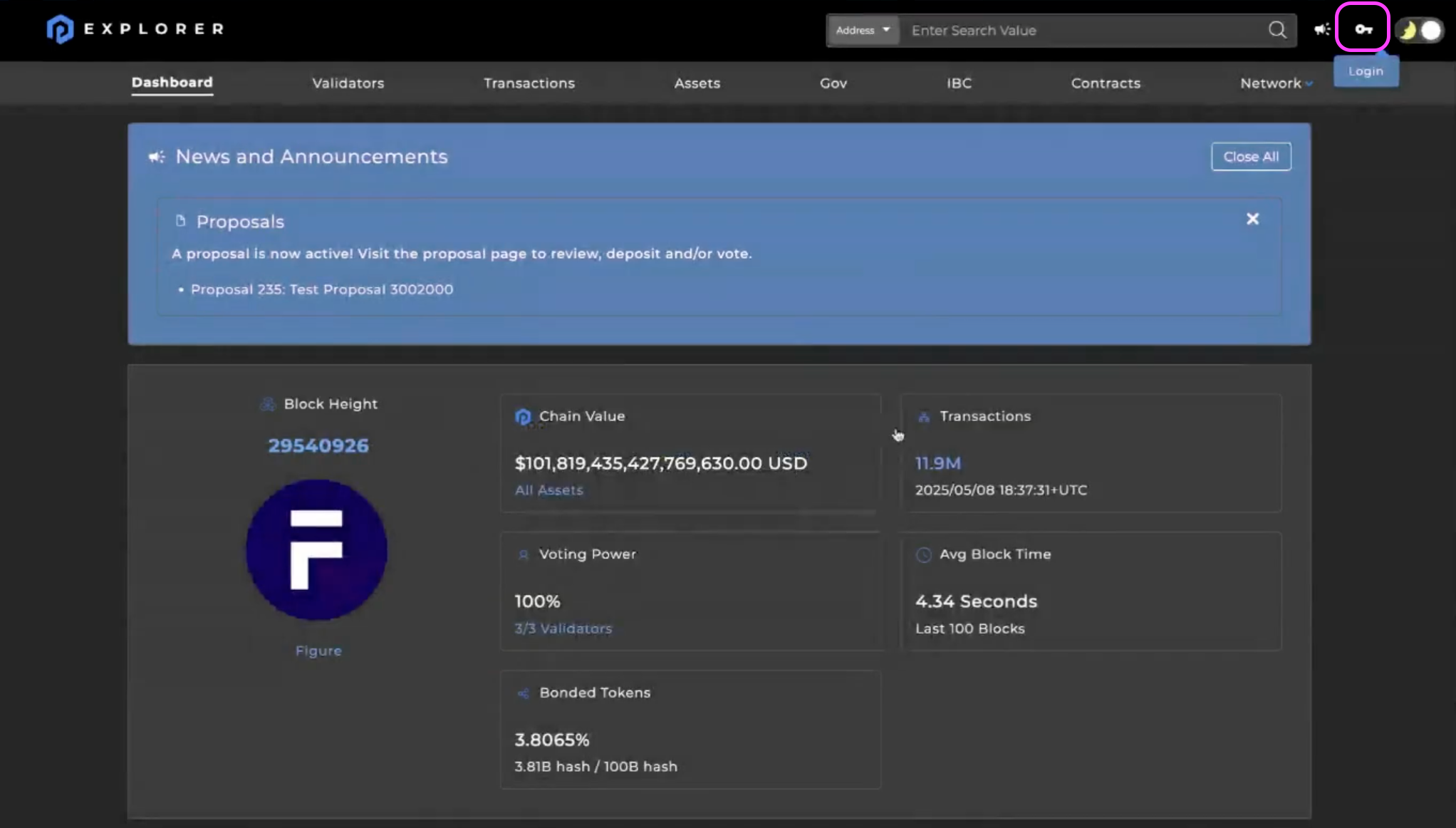
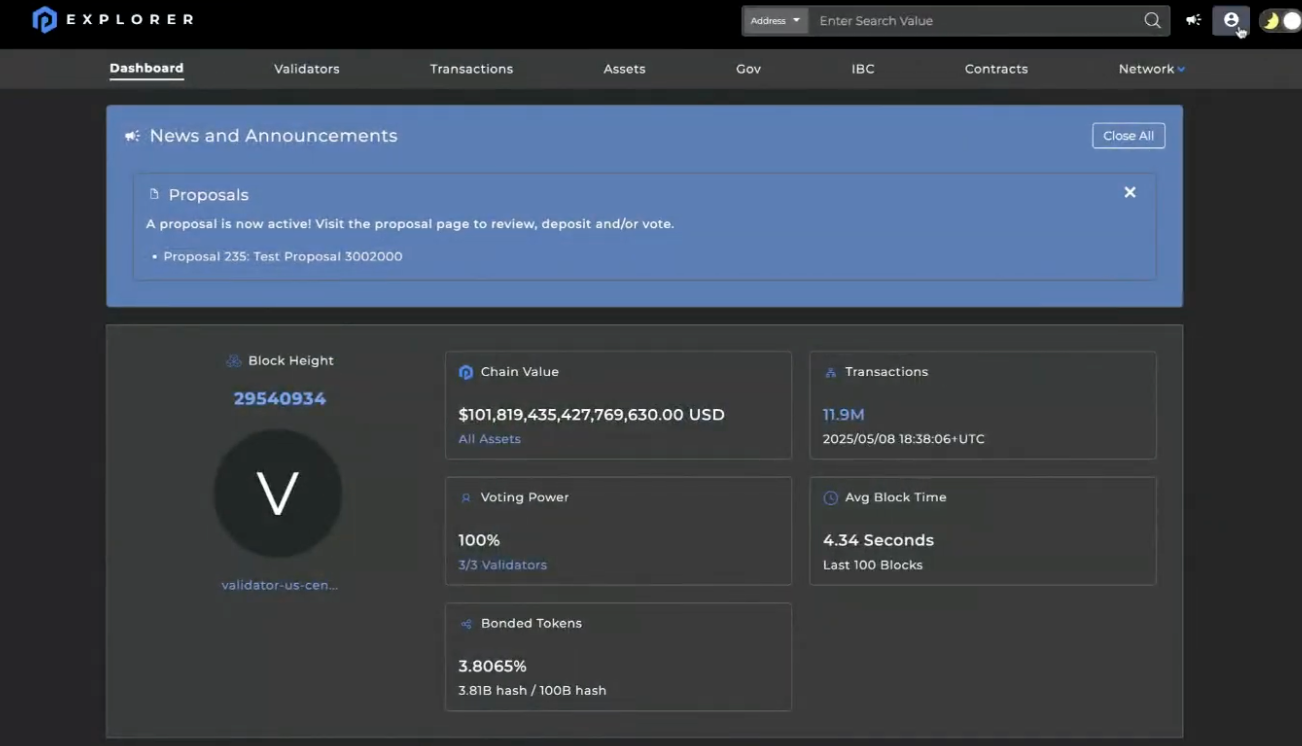
- Click on the proposal’s banner to access the latest governance proposal,
- If you’d like to see all proposals, navigate to the "Gov" section which is the located on the top navigation bar (5th from the left)
- Click on the proposal you want to vote on.
- Hit the "Vote" button and choose your option:
- Note: If you’ve delegated your HASH to multiple validators, you only need to vote once.
- Yes
- No
- No with veto
- Abstain
- Weighted Vote (can allocate % of HASH to each option)
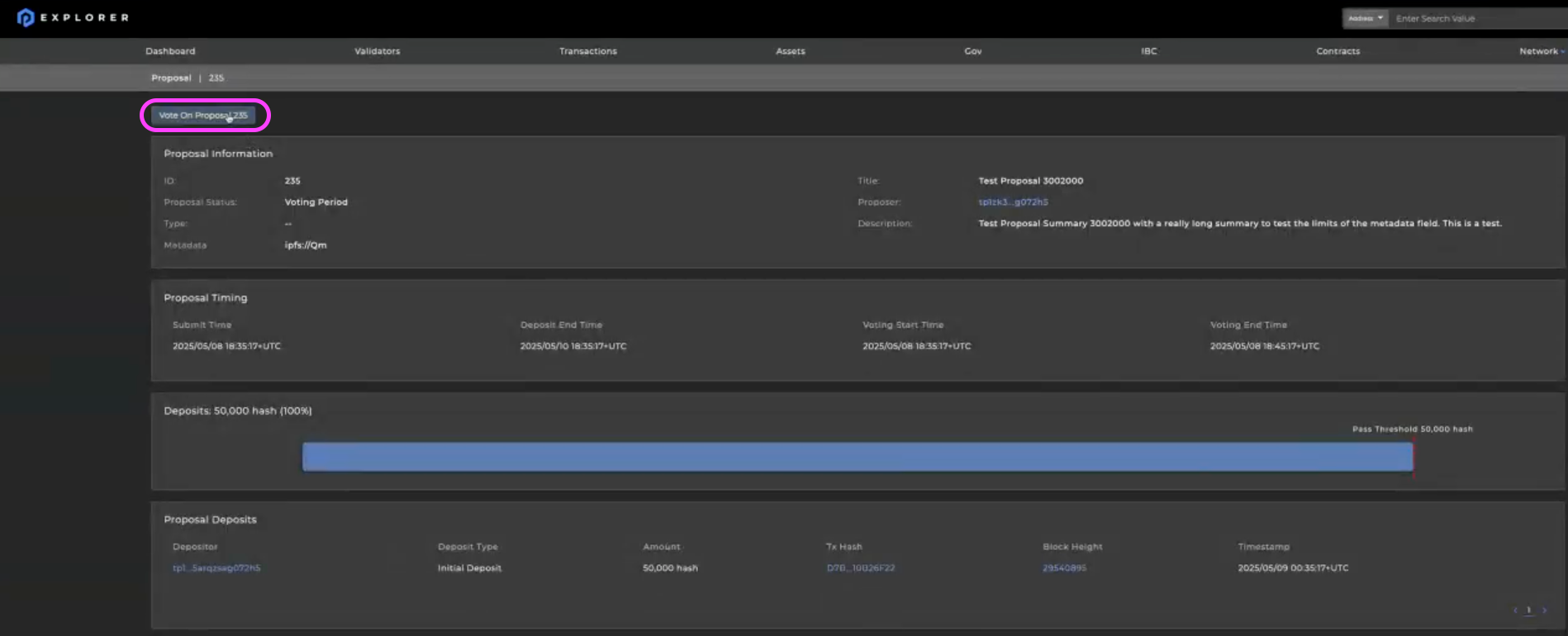
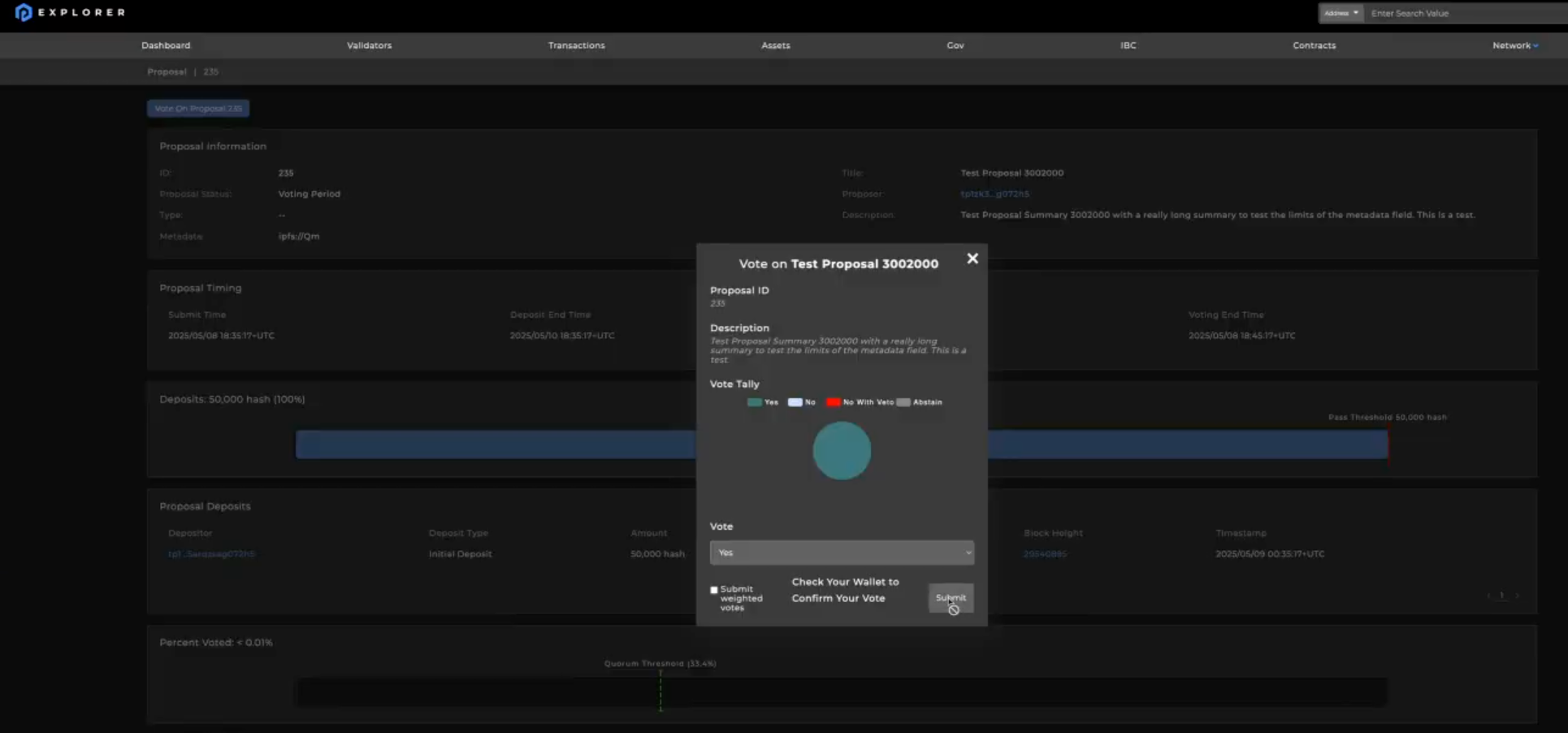
- Confirm the transaction in your wallet (in wallet’s browser extension or mobile app).
- Pay a small gas fee to complete the vote.
📝 Your vote won’t count unless your HASH is staked (delegated) beforehand.
🔐 Staking Requirements
- You must delegate HASH to a validator to gain voting rights.
- The max delegation cap per validator is 864M HASH.
- Rewards split: 40% to delegators, 60% to validators. When you delegate HASH to a validator, you earn staking rewards - but the validator takes a commission cut from the rewards before passing the remainder to delegators.
- Rewards must be claimed manually, but compound automatically if left staked.
🧠 How to Choose a Validator
- Navigate to the “Validators” option on the top navigation bar (2nd from the left) to see the list of active validators
- Select “Delegate” to your validator of choice and enter the amount of HASH you wish to delegate
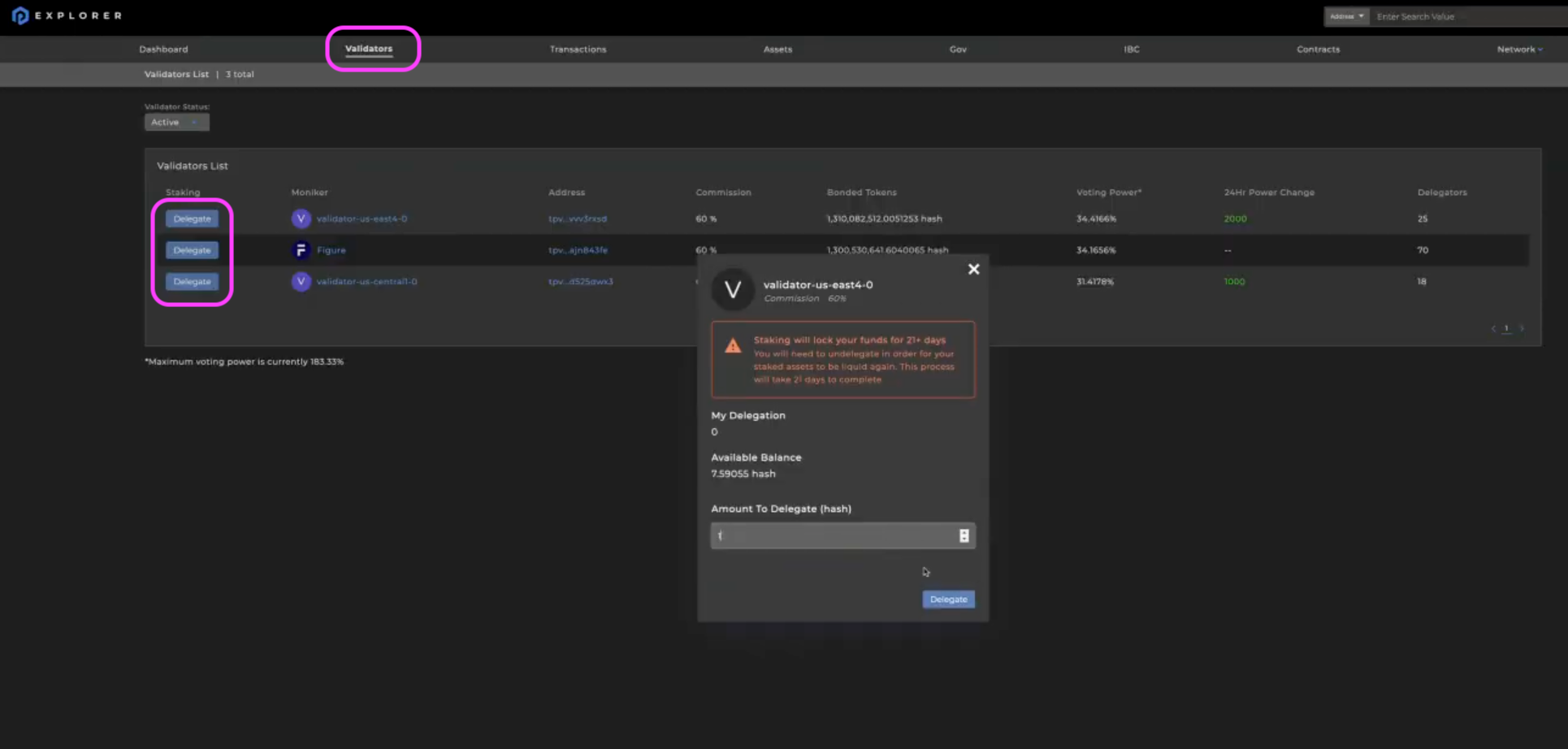
- After entering the amount of HASH you’d like to delegate, hit “Delegate” in the window
- Approve the message in your wallet
- Congratulations, you’ve officially delegated your HASH and are ready to participate in governance!
When selecting a validator to delegate your HASH to, consider the following:
📊 Performance Metrics
- Uptime and missed blocks
- Consistent block production
- Commission rate (lower % = more rewards for you)
- Current voting power (avoid over concentration)
✅ Best Practices
- Delegate to validators in the top 10–20 by performance
- Check validator reliability via PingPub
- Avoid delegators with missed blocks
- Avoid delegating too much to a single validator
💬 Questions or Feedback?
Have a question or need help with voting?
Join the discussion on Discord or Telegram and someone will help you as soon as possible.
Let your voice shape the future of HASH.
Happy voting! ✅